Body DoublingHabitsPlanningProductivity
Meet FocusCrew: Plan Your Tasks, Build Habits, and Focus Together
Sheida ·
Your tasks are in one app. Your calendar is somewhere else. Your habit tracker sends another reminder, and your focus timer has no idea what you are working on.
By the time everything is organized, you still have to start.
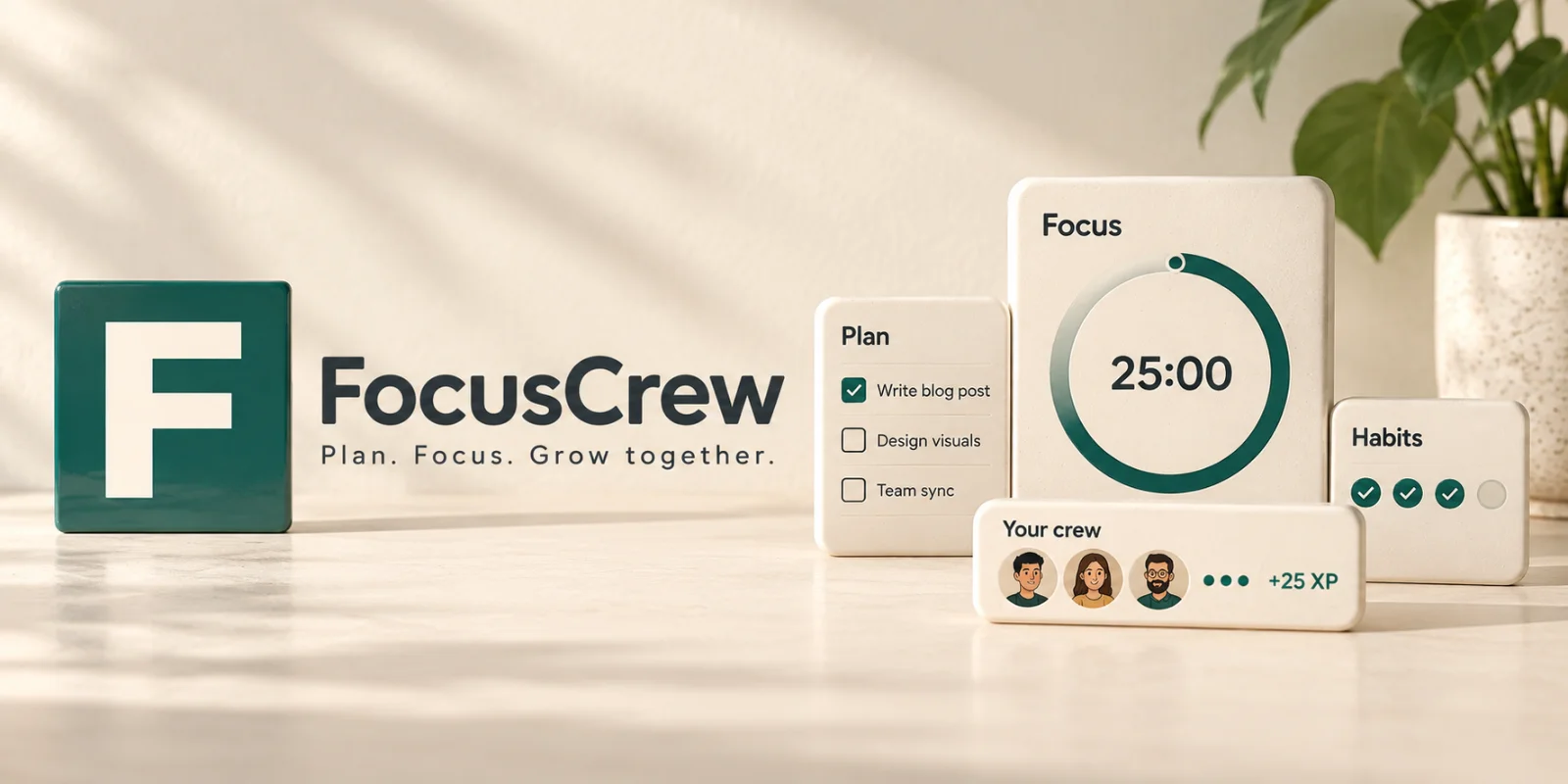
FocusCrew brings task planning, habits, Pomodoro sessions, and social focus into one place. You can choose what matters, work on it in a timed session, and see your progress—all while having a crew to work alongside when you want company.
Here is how the pieces fit into an ordinary day.
Give your tasks somewhere to go
Some tasks need attention today. Others are ideas for next week, ongoing projects, or things you want to stop carrying around in your head.
FocusCrew’s planning board gives them four places to live: Backlog, Soon, Now, and Done. Drag tasks between columns as your priorities change, and keep them in the order that makes sense to you.
Each task can include notes, a due date and time, a link, a priority, a flag, and multiple labels. Projects have their own icons and colours, making it easier to distinguish a work assignment from a personal project or an upcoming exam.
Switch to the calendar view to see your tasks by month, week, or day. Drag a task onto a date to schedule it, and tick it off from the calendar when it is finished.
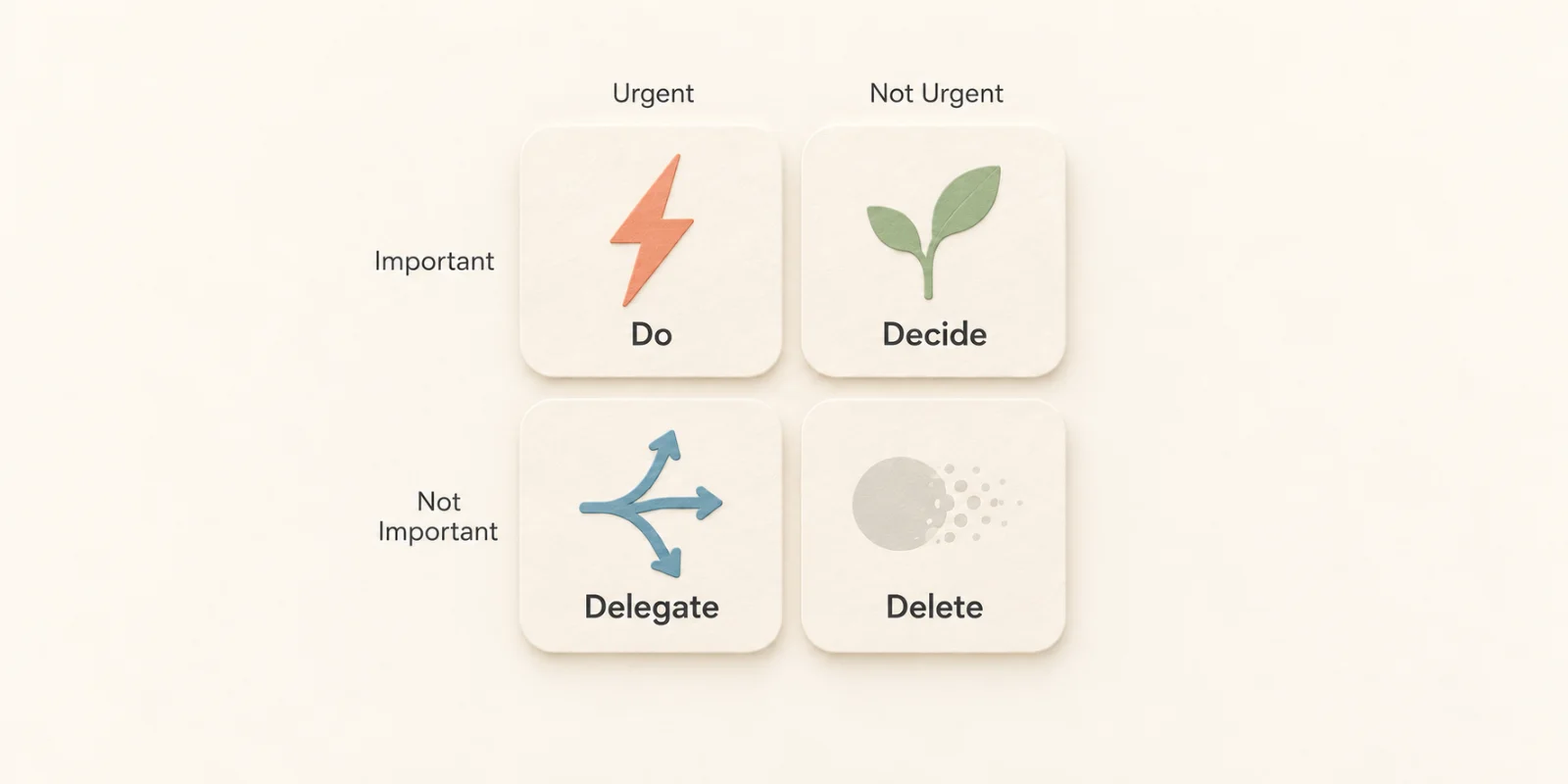
When the problem is deciding what deserves your attention, open the Eisenhower matrix. Sort tasks by urgency and importance into Do, Decide, Delegate, and Delete, with a separate space for anything you have not sorted yet.
You can also search and filter by project, label, or person, duplicate recurring work, and archive completed tasks. If you tick something off by mistake, you can undo it.
Turn a task into a focus session
Once you have chosen your next task, you can start working on it from the same place.
FocusCrew’s Pomodoro timer includes Focus, Short break, and Long break modes. Choose a 5-, 25-, or 50-minute preset, or set your own duration. Five minutes can be enough for opening a document and getting the first sentence down; a longer session gives you more room for work that takes time to settle into.
Attach a task, project, or one or more labels to your session so the time is recorded against the work it belongs to. You can also choose which crew receives credit for the session.
If you have a preferred rhythm, save a Focus Template with your own focus and break lengths. It can automatically start the next interval and move to the appropriate break. Pause, resume, or add five more minutes when you need them.
When you find yourself putting off a task, make the first step smaller: open the document, write one sentence, or spend five minutes working out what comes next.
Make your focus space feel like yours
A useful workspace should let you choose what you see.
Your FocusCrew focus page has a board of cards you can drag into three columns. Show your to-dos, habits, challenges, recent sessions, or weekly focus by project and label. Hide anything you do not need. The timer always stays, and new accounts begin with just the timer and level card.
During a session, switch to timer-only view to hide the rest. In Chrome and Edge, you can use a pop-out timer that floats above your other windows.
For atmosphere, choose from eight built-in ambient tracks or play music from your own files. Four background scenes are available as video, still images, or plain colours. A soft sound in the final 15 seconds and a chime at the end let you know when an interval is finishing.
The setup can be as simple or as detailed as you find useful.
Work alongside a crew
You do not have to work on the same project to keep each other company.
FocusCrew lets you create or join public and private crews, find a crew through search, or join through a code or invitation link. You can receive a notification when a crewmate starts focusing, giving you a moment to decide whether to begin a session too.
This is where body doubling fits in: doing your own work alongside someone who is also working. You might be writing while a crewmate studies, each focused on your own task.
Crews can also work toward shared challenges, with badges and a celebration when a challenge is completed. Individual sessions contribute to something you are building together.
By combining Pomodoro sessions with body doubling, you give your work a defined time and yourself some company while you do it.
Share projects when the work is shared
Sometimes you want company while working independently. Sometimes you need to coordinate the actual work.
You can share a project with selected people or a whole private crew, then assign tasks to project members. Everyone works on the same to-dos while keeping their own labels and task order.
Shared tasks also appear on the focus page, showing who they belong to. Notifications let you know when someone shares a project with you or adds a task to a shared project.
For example, two people preparing a presentation can divide the research and slides, then each start a focus session on their assigned task.
Keep everyday habits close to your plan
Not everything you want to do belongs on a project board.
FocusCrew includes a private habit tracker for habits you are building or breaking. Tick off each habit once a day, see its streak, and use the daily progress ring to check what you have completed.
If you forgot to record something, you can fill in the previous seven days. You can also skip a day without losing the habit’s streak, and archive habits that no longer fit your routine.
Add the Habits card to your focus page to keep those daily intentions nearby. Your habits remain private, including when you belong to a crew or share projects.
See where your focus time goes
A completed task tells you something is finished. Your session history shows the time you spent along the way.
FocusCrew’s analytics break down focus time by project and label, with day, week, month, and year views. Charts show how your time is distributed, how it changes over time, and when during the day you tend to focus.
You can review individual sessions and statistics, and recorded time still counts after you delete a task.
That gives you a practical starting point for reflection: did the project you meant to prioritize receive time this week? Which parts of your day did you actually use for focused work?
Make progress visible without making missed days a failure
Completed Pomodoros earn XP, which contributes to your level and progress path. FocusCrew also includes daily focus streaks, 29 personal badges, eight crew badges, personal and crew challenges, and leaderboards for today and all time.
You can earn gems too, starting with inviting a friend. When an invited friend joins, you receive 100 XP and a gem.
These features give your effort a visible record. Missing a day does not trigger a punishment. FocusCrew deliberately avoids red failure states and messages that make returning feel like an admission of defeat.
You can come back and begin another session.
Take your routine across devices
FocusCrew works in your browser and can be installed as a progressive web app (PWA). Sessions sync across devices, and your task order stays consistent between the planning and focus pages.
Choose English, German, or Farsi, with full right-to-left support for Farsi, and switch between light and dark themes. Privacy settings let you control who sees your profile, status, and photo, while notification settings let you choose which updates you receive.
There is also a built-in way to contact the FocusCrew team, rate the app, and report bugs, so feedback can happen while the experience is still fresh.
Start with one task and one session
You do not need to set up every feature to begin. Try this:
- Add one task you want to move forward today.
- Choose a small, specific part of it to work on.
- Start a five- or 25-minute focus session.
- Join a crew if you would like people to work alongside.
- When the session ends, take a break and decide what comes next.
A study session might begin with five practice questions. A focused coding session might begin with one bug. Choose a goal small enough to start and a session length that gives you room to work.
As of 28 September 2026, every feature described here is live and free for every account. For current plan details, visit the pricing page.
Open FocusCrew and give your next task a place to start.